0
CART
0
YOUR CART
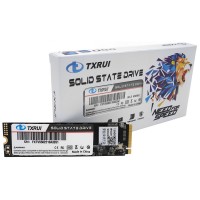
Upgrade your storage with a TXRUI SSD from Computer Vision BD, your trusted computer store with branches in Dhaka, Rangpur or Gaibandha. TXRUI SSDs offer a straightforward range of capacities in two common interfaces, making them a practical choice for everyday laptops and desktops. Whether you are speeding up an old machine or building a new one, a TXRUI SSD gives you quicker boot times and snappier everyday use.
Computer Vision BD lists eight TXRUI SSDs in two families. The M.2 NVMe family uses PCIe Gen 3.0 and comes in 128GB, 256GB, 512GB and 1TB, while the 2.5 inch SATA3 X-series covers the same four capacities as the X550, X650, X750 and X850. Every listed drive is a TXRUI model, so you can compare capacity and interface without sorting through other brands.
The M.2 NVMe drives are the faster of the two families. Their specification sheets list sequential read speeds up to about 2,521 MB/s and write speeds up to about 1,391 MB/s, in an M.2 2280 form factor that fits most modern laptops and desktops with an M.2 slot. Choose NVMe when your board has a free M.2 slot and you want the quickest boot and load times.
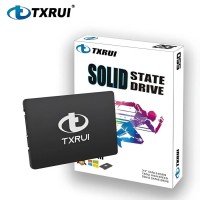
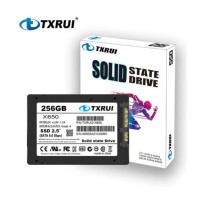
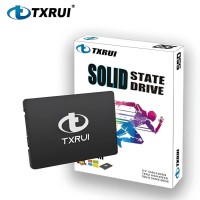
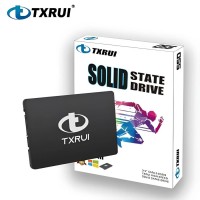
The 2.5 inch SATA3 X-series is the simpler upgrade. It fits the standard 2.5 inch drive bay found in older laptops and desktops, and the listed models show sequential read speeds up to 500 MB/s with writes of 300 to 400 MB/s. Choose SATA3 when your machine has no M.2 slot, or when you want a straightforward swap for a hard drive.
Check the slot and bay in your machine first. An M.2 NVMe drive needs an M.2 slot with NVMe support, while a 2.5 inch SATA3 drive needs a free 2.5 inch bay and a SATA cable. The specification sheets for these drives list a 3-year warranty, and the M.2 NVMe models list an MTBF of 1.5 million hours, so read the warranty line on the product page you choose. Most of these TXRUI listings are enquiry-priced, so check the current price on the product page or ask in store before you decide.
You can order a TXRUI SSD online or visit Computer Vision BD in Dhaka, Rangpur or Gaibandha to see the range in person. The product pages list the capacity, interface and speeds of each model, so compare the M.2 NVMe and 2.5 inch SATA3 families side by side and pick the size that matches your machine and your storage needs.