
0
CART
0
YOUR CART
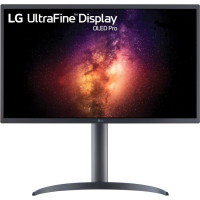
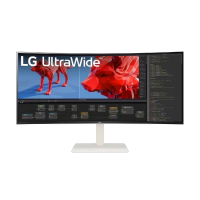
Every monitor in this category is an LG, so start from how you will use it. The UltraGear models are the gaming choice, with faster refresh rates and a higher resolution on many of them, and they suit players who want smoother motion in games. The UltraFine models, including the UltraFine OLED Pro model, are made for photo and video work where color and detail matter, while the everyday FHD IPS models are a practical choice for office work, study and browsing. There are also UltraWide curved models for working with two documents side by side or for a wider view in games, and Smart monitors that can run streaming apps when they are connected to a network. Sizes in the range run from 19.5 inches to 49 inches for desktop monitors, with larger interactive flat panel displays also listed, so measure the space on your desk before you choose a size.
Compare the listings by resolution, panel type, refresh rate and the connections on the back of the monitor. A 4K UHD model shows more detail than a Full HD model, which matters for editing and for reading small text, while a model with a faster refresh rate suits gaming and fast-moving video. Check the ports on the listing, such as HDMI and DisplayPort, and confirm that they match the ports on your computer or laptop, because an adapter is an extra purchase if they do not. If you plan to use the monitor for color work, look for the color and panel details in the specification rather than judging by the product name alone.
Decide the size and the resolution first, then narrow the list to the models that fit that size. A 24-inch or 27-inch Full HD model is a good starting point for everyday use, a 27-inch or 32-inch model with a higher resolution suits editing and design, and an UltraWide or a larger gaming model is worth considering only if your desk and your computer can make good use of it. The interactive flat panel displays in this category are made for classrooms and meeting rooms rather than for a single desk, so check the size and the touch features on the listing if you are buying for a shared space. Read the full specification on each listing, including the stand adjustment and the mounting options, so the monitor you choose fits the way you sit and work.
Many of the listings here are shown without a price, so enquire about the current price of the model you have shortlisted before you decide. You can also visit a Computer Vision BD branch in Dhaka, Rangpur or Gaibandha to compare the screens in person and check the size against the space you have. Bring a note of the ports on your computer and the work you do most, because that makes it easier to tell whether an everyday, gaming or professional model is the right fit for you.


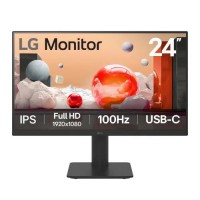

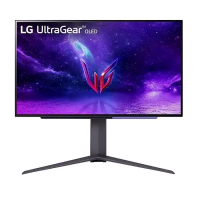
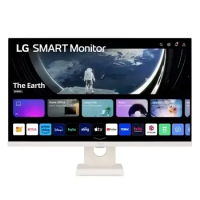
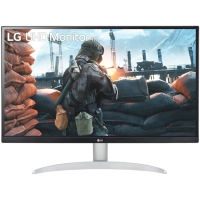
-200x200.png "LG 22MK600M 21.5 inch IPS Full HD LED Monitor")
-200x200.png "LG 22MP400-B 22-inch Full HD Monitor")
-200x200.png "LG 24MR400-B 24\" 100Hz IPS FHD FreeSync Monitor")