0
CART
0
YOUR CART
Buy Onikuma Mouse at Best Price in Bangladesh
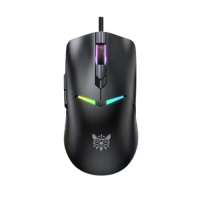
Onikuma is a leading brand in gaming peripherals, widely recognized for its high-performance and stylish gaming accessories. Among its offerings, the Onikuma Mouse stands out for gamers, content creators, and professionals in Bangladesh who seek precision, reliability, and comfort. With an ergonomic design, customizable features, and durable build quality, Onikuma Mouse enhances every computing or gaming experience.
Computer Vision BD brings you the latest collection of Onikuma Mouse in Bangladesh at competitive prices, along with convenient branches in Rangpur and Dhaka for in-store selection and testing. You can also order online and get your Onikuma Mouse delivered anywhere in Bangladesh with fast and reliable shipping.
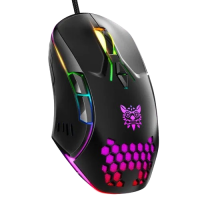
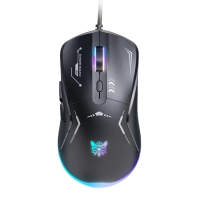
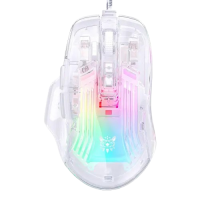
The current Onikuma range at Computer Vision BD lists five gaming mice, and the first choice is how it connects. Three models are wired: the CW902, the CW923 and the CW929. The CW902 is the simplest of the three, with seven buttons and a top sensitivity of 6400 DPI. The CW929 adds six programmable buttons, a 400 to 6400 DPI range, a 20G acceleration rating and a report rate of 125 to 1000Hz, with a Type-C connection and a light 68-gram body.
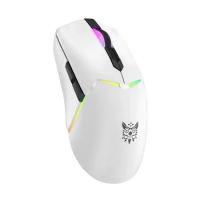
The other two models cut the cable. The CW917 is a dual-mode mouse that works wired or over 2.4GHz wireless, with a sensitivity range of 800 to 4800 DPI, a PAW3212DB optical sensor and a weight of 55 grams. The CW928 is the most expensive of the five and the only tri-mode model, working over 2.4GHz wireless, Bluetooth or a wired connection, with a sensitivity range of 800 to 12000 DPI, a PAW3311 optical sensor, a 1000Hz polling rate and a rated button life of 20 million clicks.
Onikuma mice are currently listed from about BDT 1,020 to about BDT 2,850, with listed offer prices running from about BDT 950 to about BDT 2,500. The wired CW902 is the least expensive, the dual-mode CW917 sits in the middle, and the tri-mode CW928 is the most expensive. Every model in the range shows a 1-year warranty in its specifications. Stock varies: at the time of writing, the CW902 and the CW917 were shown in stock, while the CW923, the CW929 and the CW928 were out of stock.
Pick the connection first, then the sensitivity. A wired mouse never needs charging, while a dual-mode or tri-mode mouse is worth it only if you will actually use it away from the desk. For sensitivity, the listed DPI ranges matter more than the top number: the CW902 and the CW929 both top out at 6400 DPI, the CW917 at 4800 DPI and the CW928 at 12000 DPI, so check which steps each model lists and whether your games need the higher settings. Weight varies across the range: the CW917 is listed at 55 grams and the CW929 at 68 grams, against about 79 grams for the CW928. Note that one listing shows an unclear cable-length figure, so read the listed specifications for the CW923 carefully before ordering.
You can order online from Computer Vision BD or visit a branch in Dhaka, Rangpur or Gaibandha to check stock and try the shape and weight in hand. Keep the model name and the warranty terms from the listing with your order.