0
CART
0
YOUR CART


Order online for fast delivery all over Bangladesh, or visit our Dhaka, Rangpur or Gaibandha branch. Easy Return and Easy Refund available.
Wacom offers two kinds of drawing hardware in this category. Pen tablets such as the Wacom One and Intuos ranges are flat surfaces you draw on while looking at your computer screen. Pen displays such as the Cintiq and Cintiq Pro models have a screen built in, so you draw directly on the image. If you are starting out with digital drawing, photo retouching or online teaching, a pen tablet is the simpler and lighter choice. If you want to see each line appear under the pen, a Cintiq is the step up.
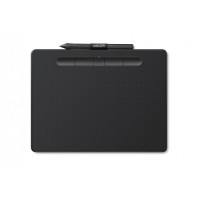
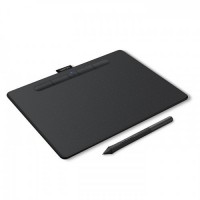
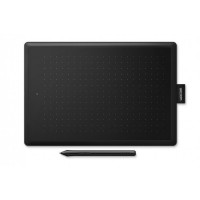
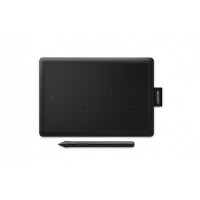
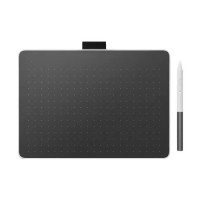
Start with the size of the drawing surface. The Wacom One by CTL-472 is a small tablet with a 6-inch by 3.5-inch active area, and the Intuos Small CTL-4100 is a similar compact size, so both suit a small desk and a laptop bag. The Wacom One by CTL-672 and the Intuos Medium CTL-6100WL give you a larger medium surface, which suits longer drawing sessions. The Wacom One S adds Bluetooth, so it can work without a cable, and the Intuos Medium CTL-6100WL is also a Bluetooth model. For travel, wireless connection and a compact size matter most.
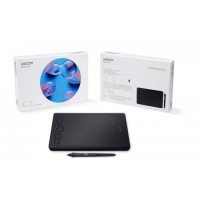
Pressure levels decide how finely a stroke responds to a light or firm hand. The Wacom One S records 4096 pressure levels with a battery-free standard pen, and its pen resolution is 2540 lines per inch, the same 2540 lines per inch listed for the One by CTL-472, the Intuos Small CTL-4100 and the One by CTL-672. The Intuos Pro S PTH-460 raises pen resolution to 5080 lines per inch. The Cintiq 16 DTK-1660, the Cintiq 22 DTK-2260 and the Cintiq Pro 16 use the Wacom Pro Pen 2 with 8192 pressure levels. For sketching, note-taking and photo edits, 4096 levels are plenty. Illustrators who vary line weight constantly will notice the finer control of the Pro Pen 2 models.
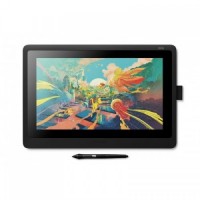
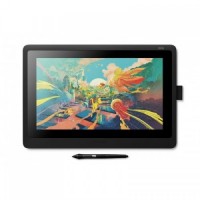
Three pen displays are listed. The Cintiq 16 DTK-1660 is a 16-inch full HD display with a 1920 by 1080 screen and an active area of 344.16 by 193.59 mm. The Cintiq 22 DTK-2260 is a 22-inch full HD display, also 1920 by 1080, with a larger drawing surface, and it lists an HDMI connection. The Cintiq Pro 16 is a 16-inch display with a UHD 4K screen of 3840 by 2160, aimed at colour-critical work. All three use the Pro Pen 2. A pen display needs desk space and a computer to drive it, so measure your desk before you order, and check the ports on the product page.
Check the pen that comes in the box. The Wacom One S uses the Wacom One standard pen, while the Cintiq models use the Pro Pen 2. Check whether the model you want is in stock on its product page, since availability changes, and compare the listed specifications with your computer and your drawing software before you order. If you are unsure between small and medium, a medium surface is the safer pick for daily drawing, while a small surface is the easier pick for travel. You can order online or visit the Computer Vision BD branches in Dhaka, Rangpur or Gaibandha.