0
CART
0
YOUR CART
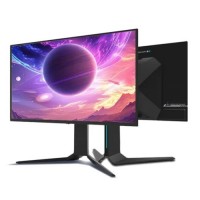
This category lists nine ThundeRobot gaming monitors in sizes from 23.8 inches to 32 inches. Every model listed here has a refresh rate of 160Hz or higher, and the range covers Full HD, QHD and 4K resolutions. The models are the JF24F200P, ZQ25F180, ZQ27F210, ZQ27F210L, DQ27F300L, CQ27F240M, ZU27F160L, DQ27F240E and DU32F240E. If you are comparing them, start with size, resolution and refresh rate, because those three figures separate the nine models most clearly.
The smallest model is the 23.8-inch JF24F200P with a Full HD panel, and the only 24.5-inch model is the ZQ25F180 with a QHD panel. Six of the nine are 27-inch models: five with QHD panels, including one OLED panel, and one with a 4K panel. The largest model is the 32-inch DU32F240E with a 4K UHD panel. Choose the resolution first if you play at a fixed resolution, because a QHD model and a 4K model need different graphics performance from the computer driving them.
Refresh rates in this range run from 160Hz to 300Hz. The 300Hz model is the DQ27F300L, and the 240Hz models are the CQ27F240M, DQ27F240E and DU32F240E. The remaining models run at 160Hz, 180Hz, 200Hz or 210Hz. A higher refresh rate makes motion look smoother when the game and the graphics card can keep up, so match the refresh rate to the frame rate your computer can actually reach rather than choosing the highest number on its own. Response time is listed as 1ms on eight of the nine models, and as 0.03ms on the 32-inch QD-OLED model. FreeSync and G-Sync support is listed for five of the nine models, so check the listing for the model you are considering before you assume either is included.
Most of the models here use Fast IPS panels, which is the panel type listed for the ZQ25F180, ZQ27F210, ZQ27F210L, DQ27F300L and ZU27F160L. The JF24F200P uses a Fast VA panel, the CQ27F240M uses a Mini LED panel, and the DQ27F240E uses an OLED panel. The DU32F240E uses a QD-OLED panel. Panel type affects viewing angles and contrast, so if you watch from the side or work in a dark room, compare the panel types as well as the refresh rate.
Most of the listings here do not show a price, so ask for the current price of the exact model before you decide, and confirm that it is available. Check the size, resolution, refresh rate and panel type on the listing, and check the ports you need, including HDMI. If you are unsure whether a 27-inch QHD model or a 32-inch 4K model suits your desk and your computer, visit a Computer Vision BD branch in Dhaka, Rangpur or Gaibandha with the model name from the listing.