0
CART
0
YOUR CART
Every PNY memory kit listed here is an XLR8 desktop module, so the choice is not between PNY families but between capacities, speeds and generations. Five of the seven kits are DDR4 and two are DDR5, and that generation is the first thing to settle, because a DDR4 module will not fit a DDR5 board and a DDR5 module will not fit a DDR4 board. Check the memory type of the board before you shortlist anything else.
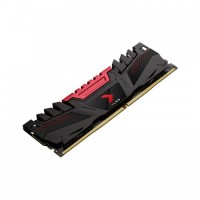
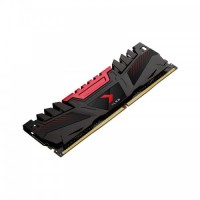
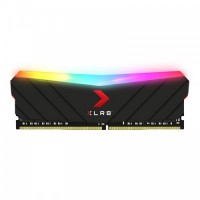
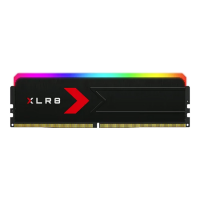
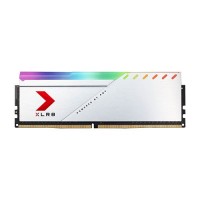
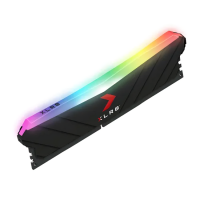
The DDR4 side covers 8GB and 16GB kits at 3200MHz, with one 8GB kit at 3600MHz. The 8GB 3200MHz kits are the XLR8 Gaming EPIC-X RGB and the plain XLR8 8GB, both at CL16, and the 8GB 3600MHz XLR8 RGB kit runs at CL18. The 16GB DDR4 kits are both 3200MHz: a plain XLR8 16GB kit and a white XLR8 RGB 16GB kit. The DDR5 side is two 16GB kits at 6000MHz, the XLR8 EPIC-X RGB at CL30 and the XLR8 Gaming RGB at CL36. At the same speed, the lower CAS latency number is the tighter timing, so the CL30 DDR5 kit is the quicker of the two on paper.
For everyday work, browsing and light play, an 8GB DDR4 kit is a workable starting point. For gaming, streaming while you play, or heavy multitasking, a 16GB kit is the safer pick, and it is the only capacity the DDR5 kits here come in. Speed matters most when the rest of the system can use it: a 3600MHz DDR4 kit or a 6000MHz DDR5 kit only helps if the board and processor support that speed, so match the kit to the supported memory list of the board rather than buying the fastest number on the page. RGB lighting, including the EPIC-X RGB kits and the white RGB kit, changes the look of a build, not its speed.
PNY RAM is currently listed from about BDT 3,990 to about BDT 32,600. The lowest listed price is the 8GB DDR4 3600MHz XLR8 RGB kit, and the highest is the 16GB DDR5 6000MHz XLR8 EPIC-X RGB kit. In general, DDR4 8GB kits sit at the lower end, 16GB DDR4 kits sit in the middle, and the two DDR5 16GB kits sit at the top. Stock changes often, and the listings on this page currently show no units in stock, so confirm availability before planning a build around a particular kit.
Confirm the generation and form factor first: all seven kits are desktop modules, so none of them fits a laptop. Then confirm the capacity, speed and latency on the listing itself, and check that your board supports that speed. If you are upgrading an existing PC, match the new kit to the memory already installed, or replace the set as a whole, since mixing speeds and timings can hold the faster kit back. For help choosing between the DDR4 and DDR5 kits, or between the 8GB and 16GB options, contact Computer Vision BD or visit our Dhaka, Rangpur or Gaibandha branch.