0
CART
0
YOUR CART
Order online for fast delivery all over Bangladesh, or visit our Dhaka, Rangpur or Gaibandha branch. Easy Return and Easy Refund available.
A laptop or desktop with only one or two free ports runs out of room quickly once a mouse, keyboard, printer, pen drive and phone cable all need a socket. A USB hub turns one port on your computer into several, so the devices you use every day can stay connected instead of being swapped in and out. This category covers compact hubs and docks for that job, including a printer sharing switch that lets several computers share a single USB printer.
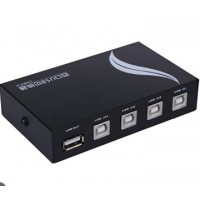
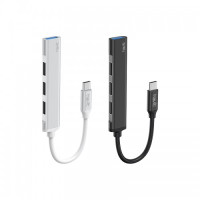
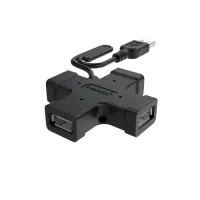
The Havit HV-HB41 is an aluminium alloy hub that connects through Type-C and offers four ports: one USB 3.0 port and three USB 2.0 ports. It suits a modern laptop whose own ports are mostly Type-C. The TwinMOS EzeeHUB-23P is a four-port USB hub with one USB 3.0 port and three Hi-Speed USB 2.0 ports, listed with data rates of up to 5 Gbps, and it works with Windows and Mac OS X. The third listing is a four-port USB printer sharing switch, which connects up to four computers to one printer so a shared printer does not have to be moved between desks.
Count the devices you need to keep plugged in, then leave one port spare for a pen drive or phone cable. Put the device that moves the most data, such as an external drive, on the USB 3.0 port, and leave slower devices such as a mouse receiver or keyboard on the USB 2.0 ports. Check the plug on the hub against the port on your computer: the Havit hub uses a Type-C connector, so it fits laptops with a free Type-C port. A printer sharing switch is a different tool from a general hub, so only choose it if sharing one printer is the job you need done.
The three listings in this category are currently listed from about BDT 500 to about BDT 699. Two of the three are out of stock at the time of writing, so check the stock label on the listing you want before you order. Only the printer sharing switch is in stock at the moment.
You can order online for delivery across Bangladesh, or visit a branch in Dhaka, Rangpur or Gaibandha to buy in person. Compare the port count, the USB version of each port and the connector type against your computer before you choose, and keep the model name from the listing when you ask about stock.