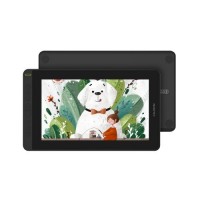
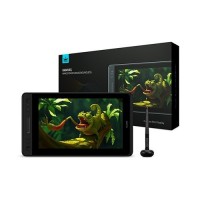
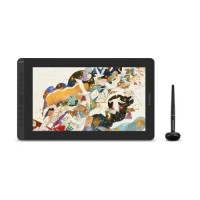
Buy Graphics Tablet at the Lowest Price in Bangladesh.
A Wide Range of Graphics Tablets are Available at the Lowest Price.
You can order your desired accessories from Computer Vision BD at your convenience. Fastest Home delivery All Over Bangladesh. Easy Return and Easy Refund available.
What is a Graphics Tablet?
A
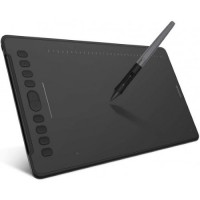
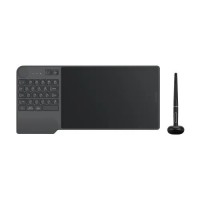
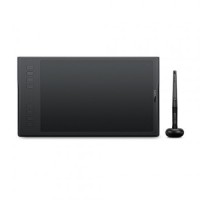
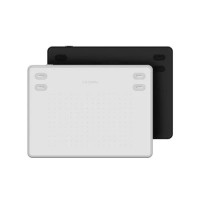
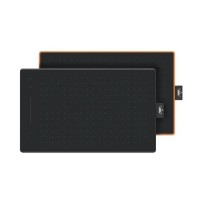
graphics tablet, also known as a drawing tablet or pen tablet, is a digital input device that allows artists and designers to draw using a stylus on a flat surface. The strokes are captured digitally and appear on a computer screen.
How It Works
A graphics tablet consists of:
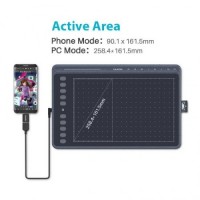
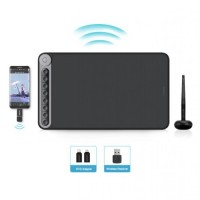
Drawing Surface – the active area where the stylus moves
Stylus/Pen – a pressure-sensitive device that transmits movement, tilt, and pressure data
The tablet converts pen movements into digital signals, producing lines, strokes, and shapes in real time.
Types of Graphics Tablets
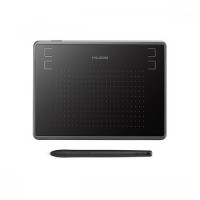
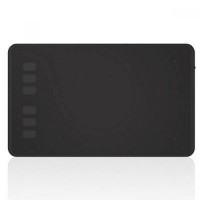
Non-Display Tablets
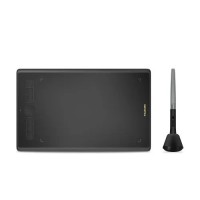
These do not have a screen. You draw on the tablet while looking at a separate monitor.
Examples: Wacom Intuos, Huion Inspiroy.
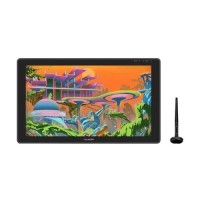
Display Graphics Tablets (Pen Displays)
These tablets contain a built-in display so you can draw directly on the screen.
Examples: Wacom Cintiq, Huion Kamvas, XP-Pen Artist.
Features:
Natural and intuitive drawing experience
High-quality shading and control
More expensive
Requires color calibration
Pen Computers
Standalone devices with built-in computing power.
Examples: Wacom MobileStudio Pro.
Key Features
Pressure Sensitivity (2048–8192+ levels): Determines line thickness/opacity
Tilt Recognition: Allows brush angle variation
Resolution (LPI): Measures how much detail the tablet can detect
Report Rate (RPS/Hz): Dictates responsiveness
Shortcut/Express Keys: Quick access to tools
Common Uses
Digital painting & illustration
Graphic design
Animation & storyboard creation
Photo editing and retouching
3D sculpting
Online teaching & handwriting input
Pressure Sensitivity
The pressure sensitivity is how much pressure the stylus is creating on the tablet screen. The greater the pressure level the thicker the drawn line will be. Normally a graphics tablet can withstand anywhere from 300 to 3,000 pressure-sensitivity levels. Higher pressure sensitivity ensures finer distinctions in the thickness of the lines, it is essential when working on high-resolution drawings to ensure more refined details. It is ideal for beginners to choose a drawing tab with a 1024 pressure level. If you are an advanced designer you should go for the ones with 2048 or higher pressure levels.
Graphics tablet Size
When we consider Graphics tablet size we consider two factors. They are the overall dimension or size of the device and the overall size of the active area. The larger the active area will be helpful when working with a larger drawing. A larger area also eliminates the need for frequent zooming and panning. So choosing one with a larger area helps.
Graphics tablet resolution
Graphics tablet resolution refers to the number of Lines Per Inch(LPI) in the tablet screen and the amount it can detect from the stylus. The higher the LPI is, the more detail the drawing will have. Usually, the Hi-End graphics tablets have higher resolution.
Screen Response time
Screen response time determines how fast the graphics tablet responds to your input. Higher Screen response time is recommended if you are a
Customizable Control button
Many Graphics tablets feature customizable control buttons. They help the user to quickly access features without going into settings. It is good to pick a Graphics tab with customizable control buttons.
Advanced features
Many mid and High-End Graphics tablets have different advanced features. Like multi-touch display or Tilt sensitivity. These features help the designer in many ways.
Standalone Graphics Tablets
These are all-in-one devices with their own operating system and hardware.
Best for: advanced artists, mobile professionals.
Features:
Works independently (no PC required)
Portable
Powerful processors
Most expensive category
Popular Models:
Wacom MobileStudio Pro
Apple iPad Pro + Apple Pencil
Samsung Galaxy Tab S Series
Large Working Area
A bigger drawing surface provides:
Comfort for long work sessions
Better hand movement
More accurate strokes
Less strain
Perfect for creative professionals.
Software Compatibility
Graphics Tablets support almost all major creative software:
Adobe Photoshop
Illustrator
After Effects
Krita
Procreate (supported models)
Blender
ZBrushMaking them extremely versatile.
Great for Students & Learners
Students use graphics tablets for:
Digital drawing
Design courses
Online classes
Note-taking
Handwriting practiceA great tool for growing digital creativity.
Why You Should Buy Graphics Tablets from Computer Vision BD
Graphics Tablets are essential tools for digital artists, designers, animators, students, and professionals. To get a genuine and reliable tablet, it’s important to purchase from a trusted seller.
Computer Vision BD is one of the most reliable places to buy authentic Graphics Tablets in Bangladesh.
100% Genuine & Branded Products
Computer Vision BD guarantees:
Original Graphics Tablets
Factory-sealed units
No refurbished or fake models
Ensuring complete authenticity for all customers.
Official Warranty & Reliable Support
Every tablet comes with:
Official warranty
Easy claim process
Fast customer support
This ensures trouble-free usage for designers and learners.
Best Prices & Regular Discounts
They offer:
Market-best pricing
Frequent discounts
Special promotional offers
Budget-friendly options
Making high-quality tablets more affordable.
Wide Range of Top Brands
Available brands include:
Wacom
Huion
XP-Pen
Veikk
Gaomon
Suitable for beginners to advanced professionals.
Professional Assistance & Customer Support
The support team helps with:
Choosing the right model
Driver installation
Software setup
Pen calibration
Usage guidance
Perfect for new users who need proper direction.
Safe Online & Offline Shopping
Computer Vision BD provides:
In-store hands-on checking
Online ordering
Cash on Delivery
Secure payments
Nationwide fast delivery
A smooth and safe buying experience.





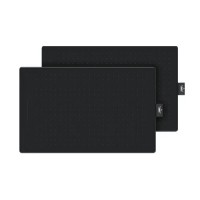
-200x200.jpg "Huion Inspiroy RTS-300 Graphics Drawing Tablet")